
How to Download the Participants Report (Temporary Workaround)
Please see steps below.
We are currently experiencing an issue with our Sessions functionality, where participant details are not appearing in the Participants tab.
We sincerely apologise for the inconvenience this may cause. Our team is actively working to resolve the issue, and we expect the functionality to be fully restored by the end of next week.
In the meantime, you can still access and download the list of participants by following the steps below:
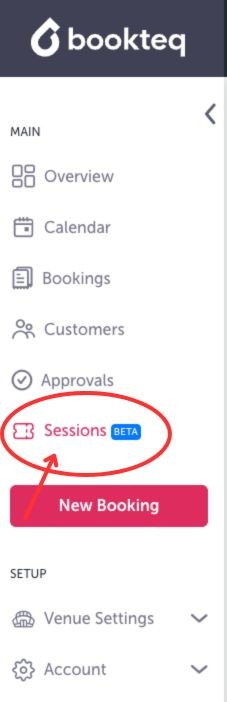
- Click on Sessions on the left side of your screen as shown in the example below
- Click on Export to CSV which is located on the right side of your screen as shown in the example below

- Click on Participant List and your report will begin to download
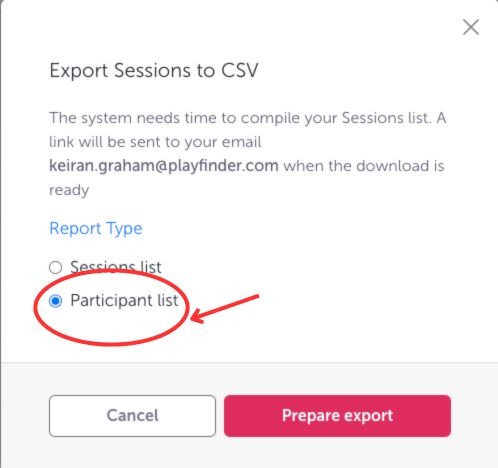
Please note: The report will include participants from all sessions and will be downloaded as a CSV file. To view the most recent participants, you may need to filter the report by session date.
If you need any assistance while using this workaround, please don’t hesitate to reach out to our support team.