How do I request a document from a hirer?
Sometimes you may need additional information from a hirer before their booking can go ahead. Bookteq makes this easy by allowing you to request documents directly from within the booking.
Requesting a document
- Go to the Customer tab.
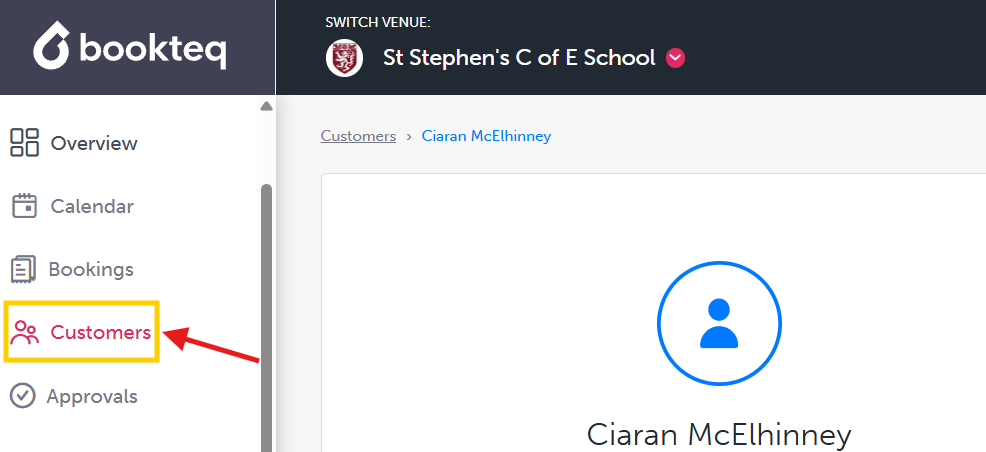
2. Open the relevant booking or order.
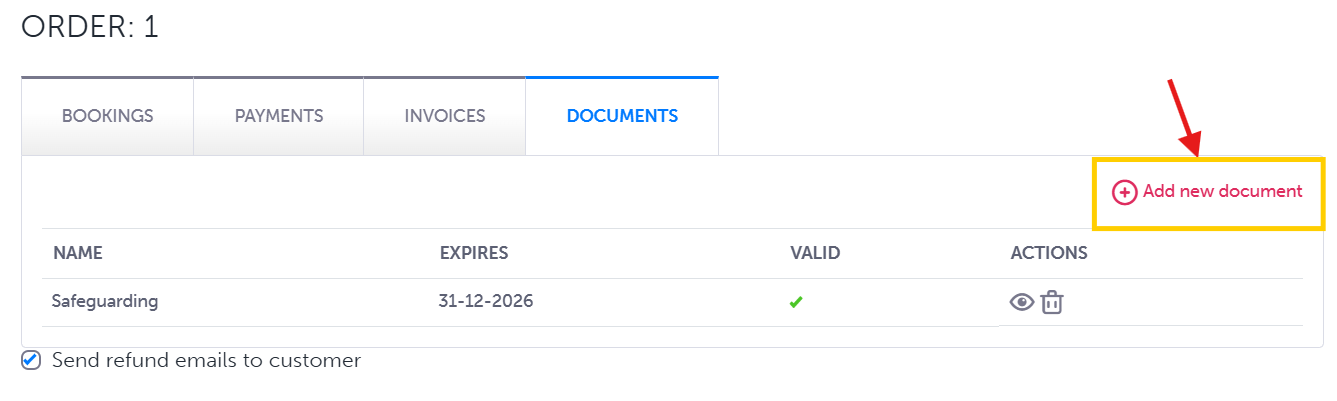
3. Select the Documents tab.

4. Click Add a new document.
5. Under Additional Questions, choose the document you would like to request from the hirer.
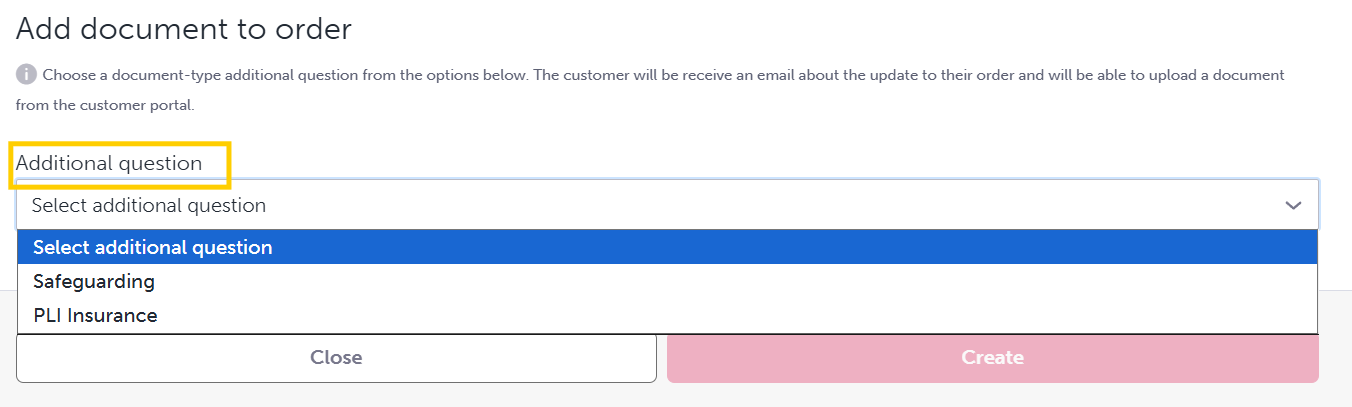
Once selected, the hirer will be able to provide the requested document from their customer portal account. You can then approve the file (once uploaded by the customer) if it meets your requirements.
You can use this feature to request items such as:
- Insurance documents
- Risk assessments
- Safeguarding certificates
- Any other supporting documentation required for the booking
Adding document requests directly to a booking helps keep all important information stored in one place and makes it easier to manage customer requirements.